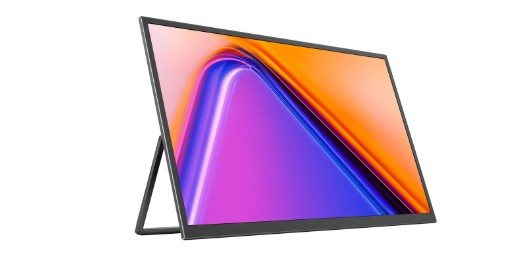
Portable monitor have become incredibly useful and versatile in the work and creative scene today. Whether you are a professional who works remotely and needs a second screen, a gamer who wants more screen real estate, or a student that needs to attend a virtual class, they offer convenience, speed, and productivity to anyone’s workspace. However, there are also a lot of factors you should be aware of before buying your very own portable monitor, and we will go over them all in this buying guide.
Size and Resolution of Display
Size is obviously a consideration you will have to make when buying any type of monitor. The size of portable monitors can vary from 13 to 17 inches, but if you need something even bigger for work, you can always find a 27 Inch Monitor. While 17 inches is a good middle ground for productivity and comfort, your decision is ultimately based on your individual needs.
Smaller (13-15 inch): Good for travelling, keeping things light and small
Medium (16-17 inch): Balanced for remote work and light gaming without being bulky
Big (up to 27 inch): Ideal for creative work, gaming, or presentations that require lots of space and screen real estate, less portable though.
Resolution is another thing to consider when buying a display, and this parameter will heavily influence the price. While full HD 1080p is a common resolution among displays, if you plan on using your portable monitor for work, QHD 1440p, 4K, or 5K are much better.
| Monitor Size | Ideal Use Case | Portability |
| 13–15 inch | Business travel, light work | High |
| 16–17 inch | Remote work, casual gaming | Moderate |
| 27 Inch | Creative work, gaming, presentations | Low |
Touch Screen
If you are looking for a more interactive experience out of your portable monitor, one of the many available touch screen displays will work wonders for you. Touch screens are pretty self-explanatory, but they allow you to interact directly with the content of your screen much more quickly and intuitively, which can be helpful for sketching, annotating documents, or swiping through apps.
Pros: Saves you from having to use a mouse, stylus, or extra peripherals. Ideal for students and designers.
Cons: Can get expensive, slightly heavier and will consume more power.
Choose a touch screen monitor based on the number of touch points (supports multi-touch), response time, and whether or not it is compatible with your computer or tablet’s OS.
Connectivity Options
Of course, your new portable monitor is only as good as how you are going to connect it. The most important types of ports include:
USB-C: A common type of USB that supports data, video and power (charging) through a single cable. Ideal for laptops and phones.
HDMI: A ubiquitous standard for video cables for computers and video game consoles.
Mini HDMI / DisplayPort: Mini variants of video cables often used for portable displays.
Many portable monitors also support wireless connectivity, although if you want the best possible quality and no risk of lag or freezing, you are better off sticking with wired models.
| Port Type | Compatibility | Pros | Cons |
| USB-C | Laptops, smartphones | Single cable convenience | Some devices may lack USB-C |
| HDMI | Computers, consoles | Widely compatible | Extra cable required |
| Wireless | Laptops, tablets | No cables | Potential latency issues |
Refresh Rate and Response Time
Refresh rate and response time are important considerations if you use your computer and mobile device for gaming or video editing.
- Refresh rate: How many times per second your screen refreshes, usually measured in hertz (Hz). A higher refresh rate (120Hz+) will result in smoother visuals, which is better for gaming or watching videos.
- Response time: How fast a pixel can change color, typically in milliseconds (ms). A lower response time (5ms or less) will lead to less motion blur and clearer fast-paced visuals.
If you are using the monitor for office applications, standard 60Hz refresh rates and response times of around 8-10ms are more than good enough.
Brightness and Color Accuracy
Brightness and color accuracy will be of major importance if you are going to use your portable monitor in various environments and lighting conditions. If you plan on using it outdoors or in bright settings, look for displays with higher brightness levels, ideally at least 300 nits or more.
Color accuracy will be critical if you work in fields such as graphic design, photography, or video production. Check if the monitor covers a wide color gamut (sRGB 99% coverage, Adobe RGB) and factory-calibrated color profiles for the most accurate color output.
Power and Portability
Portability not only refers to weight and dimensions, but also to power. While many portable monitors get their power directly from your laptop or phone through USB-C ports, there are also battery-powered units on the market.
Battery-powered monitors: True portability at its best but require charging.
USB-powered monitors: Much more convenient if your laptop supports it and can provide enough power.
The weight of the monitor is an important factor as well and look for lightweight models of under 1 kg if you need to carry it in a bag or backpack.
Build Quality and Stand
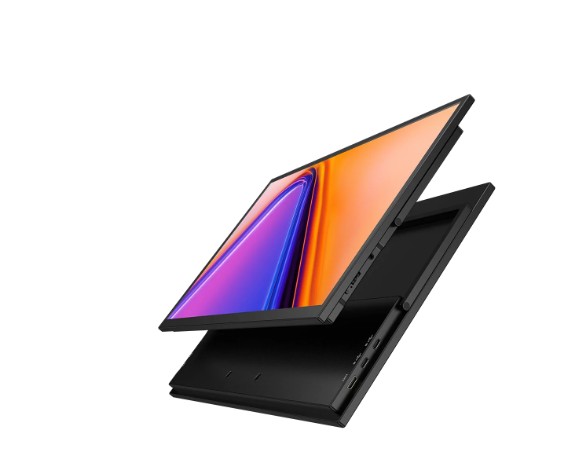
Of course, you are going to have to transport your portable monitor around, so the build quality is another important factor. Look for sturdier metal or high-quality plastic casings. Some portable monitors even come with their own stand or case built into the unit. Foldable or adjustable stands can position your monitor at the right angle for less neck and eye strain.
Price and Warranty
Of course, price and warranty coverage are things you need to factor in, too. Portable monitors can range anywhere from budget-friendly entry-level to high-end professional models, but keep in mind that while a cheap monitor will serve your basic needs, investing in a quality unit will get you better durability and performance in the long run. Don’t forget to check warranty period and coverage as well. 1-2 years is a standard for most manufacturers, but the longer, the better.
| Feature | Budget Monitor | Premium Monitor |
| Screen Size | 13–15 inch | 16–27 inch |
| Resolution | Full HD | QHD/4K |
| Touch Capability | Rare | Available |
| Connectivity | USB-C or HDMI | Multi-port with USB-C/HDMI |
| Color Accuracy | Average | High, factory-calibrated |
| Price Range | $150–$250 | $300–$600+ |
FAQs
Q1. Can I use a portable monitor as my main display?
A1. You can absolutely use a portable monitor as your main display, provided that it has a comfortable resolution, size and portability that you are ok with long-term.
Q2. Do portable monitors work with gaming consoles?
A2. Most portable monitors with HDMI or USB-C inputs will work with PlayStation, Xbox and other video game consoles. Make sure to check their refresh rate and resolution compatibility for best performance.
Q3. Is a touch screen monitor worth it?
A3. If you often interact with content, use your mouse or stylus for annotating or design work, a touch screen monitor will make your life much easier and more efficient.
Q4. How can I tell if my laptop supports a 27 Inch Monitor?
A4. Check the graphic card specifications and output ports in your laptop. Most modern laptops support 4K or Full HD external monitors including 27 Inch Monitor.
Q5. Can I take a portable monitor with me on a flight?
A5. Yes, as long as the monitor is lightweight and slim you can easily pack it in a backpack or a bag. It is also a good idea to get a protective sleeve for it.
Conclusion
A portable monitor can be a very useful and versatile investment, but you should always know your preferences in terms of size, resolution, touch screen capability, connectivity, and of course portability before you buy one. The smaller the more lightweight your portable monitor is, the more ideal it will be for travelling and taking with you on trips and business meetings. On the other hand, if you are a designer or a gamer that prefers larger displays with high refresh rates and accuracy, the larger and more feature-packed 27 Inch Monitor is the way to go. Most other factors will be dependent on your budget, so do a little research, and figure out which monitor will best suit your needs the longest.