Employees are an essential part of any company, and training them effectively is a vital part of creating a productive workforce. However, traditional methods of employee training materials are not effective in keeping the workforce engaged. These materials are usually lengthy, complex, and even confusing at times, which might not be effective in keeping the workforce engaged. As companies are adapting new technologies to improve their internal processes, they are also required to improve the effectiveness of their employee training materials.
A lip sync AI technology has revolutionized the way companies are creating employee training materials, as they are now creating effective training videos with the help of digital presenters who speak directly to the employees of a company. Pippit technology allows companies to create effective employee training videos with the help of AI avatars.
Why traditional training methods often fall short
Most companies are still relying on traditional methods of employee training, which are not effective in keeping the workforce engaged. These methods are usually lengthy, complex, and even confusing at times, which might not be effective in keeping the workforce engaged.
Employees are able to browse through the information without fully understanding the procedures, which might result in confusion, errors, and repetitive training sessions. In a fast-paced work environment, the training process has to be clear, brief, and easy to digest.
Video-based learning provides a more interesting alternative, as the employees are able to watch a short video clip where they are taken through the information while a presenter helps them through the process.
Common challenges in traditional training programs
-
Long information manuals that are hard to read
-
Inconsistency in the training process across different teams
-
Employees do not get to engage fully during the training process
-
Training information becomes outdated
Video content helps to address some of the common challenges in the traditional training process.
Why video presenters improve learning experiences
Communication between humans is a visual process, as people tend to communicate more effectively through images than through written information. When information is presented through a presenter instead of written text, the information becomes easier to process.
Video presenters are a creation of AI technology, which helps companies to create a more effective training process without having to rely on different trainers to explain different procedures to the company’s employees.
These presenters can help employees through the process step by step, whether it is the onboarding process, safety information, software instructions, or customer service.
Ways video presenters enhance training
-
Make complex ideas easier to understand through visual explanation
-
Develop consistent messages across the organization
-
Allow employees to learn at their own pace
-
Make the learning process feel more interactive and engaging
When employees feel engaged during the learning process, they will be able to learn the information and utilize it correctly.
Transforming internal resources into engaging training videos
Organizations have access to existing training resources that can be very valuable to employees. However, the problem is transforming these resources into something employees want to learn from.
Video presenters help transform these resources into something employees will want to learn from.
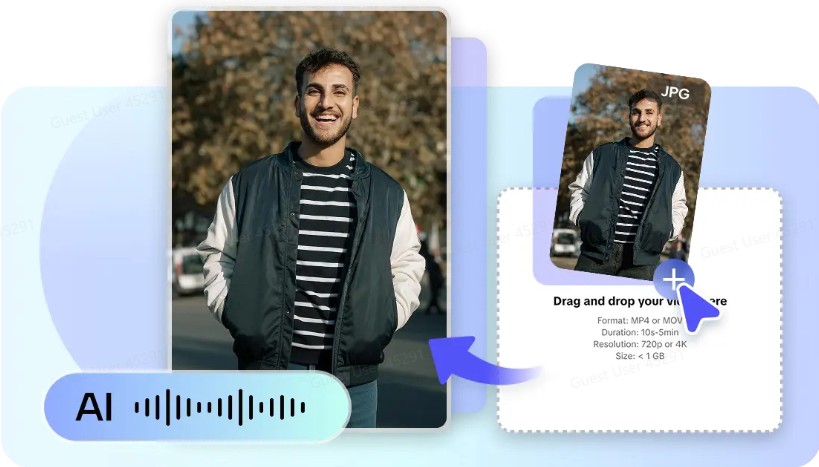
For example, a photo to video AI can be used to change static diagrams or slides or office visualizations into video scenes that can be used in explaining a procedure or a workflow. When used in conjunction with a digital presenter who narrates a video, this visual content can be used in creating a clear learning experience for viewers.
Employees no longer need to read through a long narration about a certain process or workflow in a company. What they need is a short video clip demonstrating how a certain process works.
How automation can simplify corporate video production
The production of corporate training videos used to require a lot of money and a team of video production experts. Today, thanks to AI technology, creating corporate training videos has been greatly simplified.
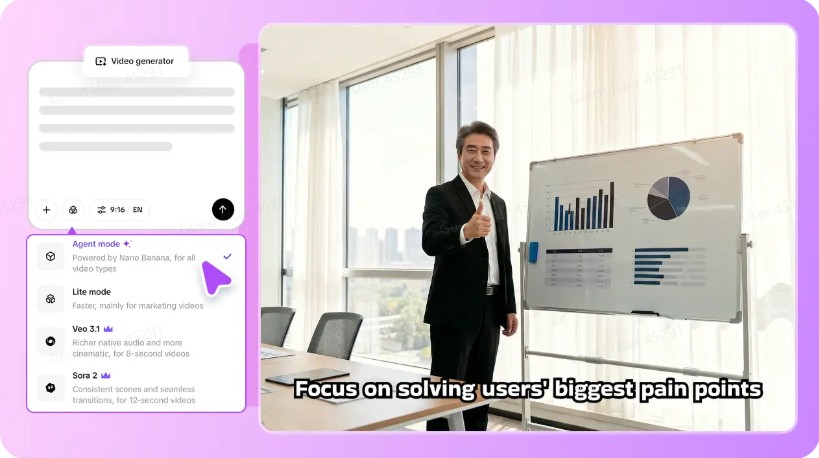
Automation can be used in creating corporate training videos in a number of ways. For example, AI video agent like Pippit can be used in coordinating visual content in creating a video workflow.
From script to virtual instructor: Create lip-sync video training with Pippit
Pippit offers a user-friendly process that can turn your training scripts into engaging video content with the help of AI instructors. The video content can be used as part of the onboarding process, internal training platforms, and employee resource sites.
Step 1: Select an avatar
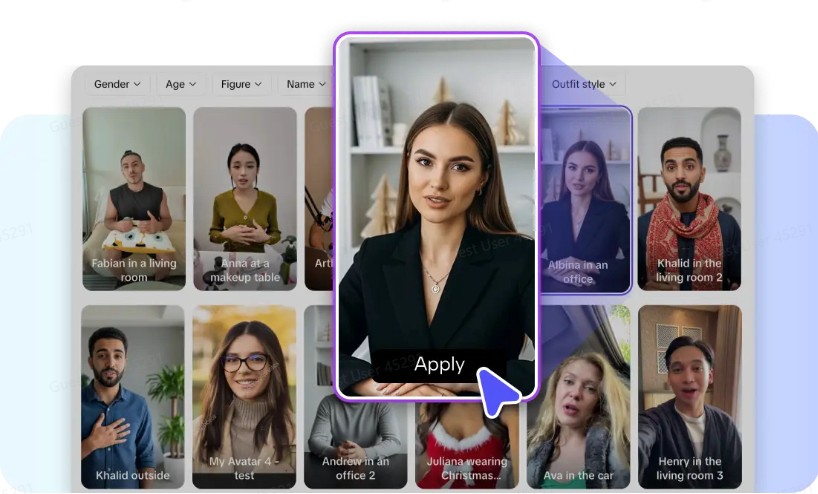
To start with, Pippit, you need to log in and click on the “Video generator” button located on the left-hand side of the page. In the Popular tools section, click on “Avatar Video” to learn about the various AI avatars that can be used to create engaging video content for your training sessions. The avatars can be used to naturally lip-sync the voiceovers with face movements to create engaging presentations.
Step 2: Lip sync with your script
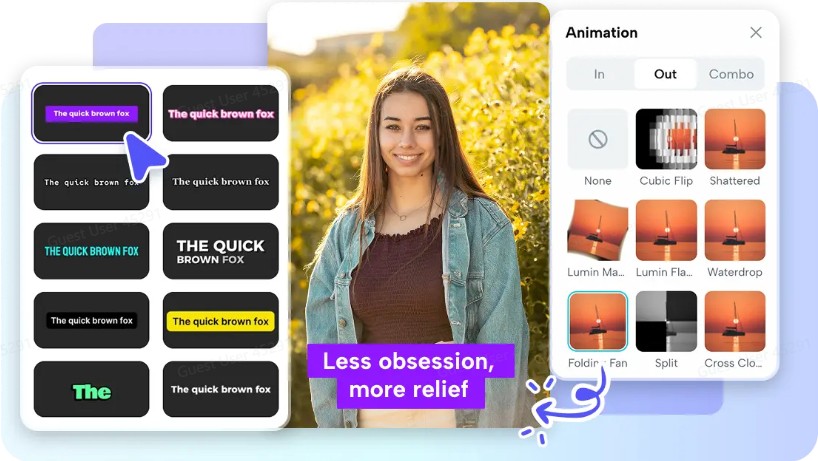
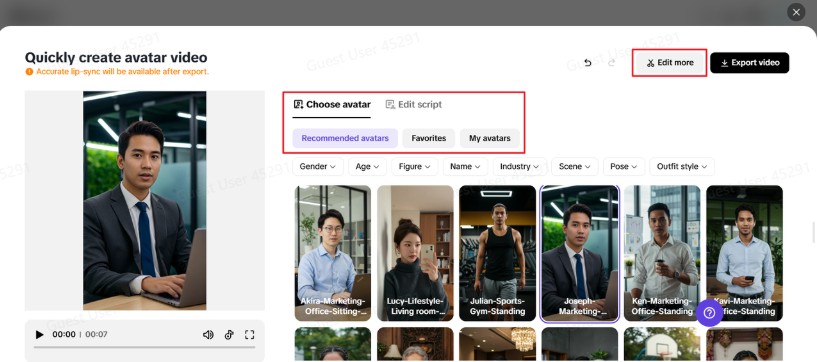
After opening the avatar tools, click on the “Recommended avatars” section, where you are presented with a variety of presenters to choose from, depending on your training style. You can choose an avatar based on gender, age, or professional appearance, thanks to the filters available. To ensure your training dialogue or instructions are clear, click on “Edit script.” This platform allows you to automatically apply lip-sync animation to your avatar as they speak the script. Additionally, you can customize the captions of the script to ensure they are clear enough. After completing the lip-sync animation, click on “Edit more” to edit your video as needed.
Step 3: Save your video
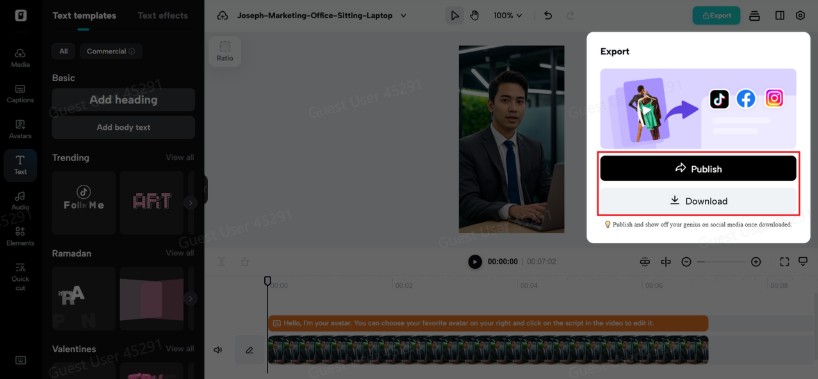
This platform provides various editing tools to ensure your voice, expressions, text, and even background music are customized to your taste. Once your training video is ready, click on “Export” to download your video and share it through your organization’s platforms. Additionally, the Analytics tool helps track your content, ensuring your training content is improved accordingly.
Benefits of using Pippit’s lip sync feature for employee training
Organizations that use AI technology in their training videos tend to benefit in various ways.
| Benefit | How It Helps Employee Training |
| Consistent training delivery | Every employee receives the same instructions and explanations, reducing misunderstandings. |
| Faster onboarding | New hires can learn processes quickly through short, clear video lessons. |
| Higher engagement | Visual presenters make training more interesting compared to text-heavy materials. |
| Easy content updates | Training videos can be quickly revised whenever policies or workflows change. |
| Scalable learning | Companies can train large teams across locations without scheduling live sessions. |
| Improved knowledge retention | Employees remember information better when it is explained visually and conversationally. |
Creative training video ideas for organizations
Lip sync videos of presenters are beneficial in different training situations for organizations. By incorporating videos with clear audio, organizations are able to create training videos that their employees enjoy.
-
Onboarding Welcome Messages: Organizations use videos to welcome new employees to their organization.
-
Workplace Policy Explanations: Organizations use videos to explain different workplace policies to their employees.
-
Software and Tool Tutorials: Organizations use videos to provide their employees with training on different tools and systems.
-
Skill Development Lessons: Organizations use videos to provide their employees with different skill development lessons.
Building a modern learning culture with video
Today, organizations are increasingly becoming digital, and training is no exception. Training videos are beneficial in this case since employees are able to access training from anywhere.
When organizations invest in engaging content, they show that they value the development and training of employees. This not only boosts productivity but also the organizational culture and satisfaction.
Interactive video training promotes constant learning and facilitates the sharing of knowledge.
Modernize your employee training with Pippit
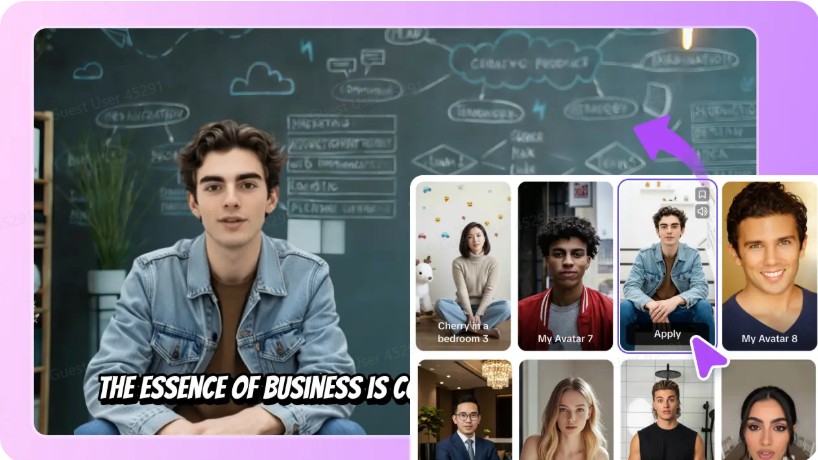
Employee training is not about bombarding your employees with information; it is about motivating them to learn. With the help of AI-powered lip-sync videos, you can turn your traditional training content into engaging video lessons presented by virtual teachers.
Pippit is the best way to create video training content that can be used to train your employees. With the help of Pippit’s AI avatars, automated video editor, and video publishing tools, you can create engaging video training content that can be used to train your employees.
If you want to take your corporate training to the next level and make it engaging and interactive, you need to start using Pippit and create engaging video training content in the form of lip-sync videos that can be used to train your employees.