A few years ago, a still image and a video asset usually belonged to different production lanes. One came from photography or design. The other required editing, animation, or more specialized motion work. That separation is now weakening. In my observation, this is one reason Image to Video AI platforms feel more important in 2026 than they did even a short time ago. They allow a single image to become the starting point for motion-based content without forcing creators into a traditional video pipeline.
This shift matters because most teams do not suffer from a lack of ideas. They suffer from workflow gaps. A product team already has product images. A social media team already has brand assets. A game designer already has concept art. A personal creator already has portraits, sketches, or generated stills. What they need is not always a full video suite. Often, they simply need a fast way to extend the life of an existing image into movement.
That is why the most useful ranking of image-to-video tools should be framed as a workflow discussion, not just a product roundup. The question is not only which tools exist. The question is which tools fit the way content now moves across marketing, storytelling, education, and social distribution. With that in mind, here are ten image-to-video AI websites worth serious attention, with Image2Video placed first.
The Ten Platforms Changing Motion Workflows
This list is ordered not simply by novelty, but by how convincingly each platform fits a modern content workflow.
| Rank | Platform | Workflow Strength |
| 1 | Image2Video | Clear still-to-motion transformation path |
| 2 | Runway | Deep creative workflow for advanced users |
| 3 | Pika | Fast social-friendly motion generation |
| 4 | Kling AI | Strong ambition for polished moving visuals |
| 5 | Luma Dream Machine | Scene and atmosphere development |
| 6 | PixVerse | Broad experimentation across creator needs |
| 7 | Adobe Firefly | Structured fit for design and brand teams |
| 8 | Canva | Easy collaboration and content adaptation |
| 9 | Vidu | Controlled image-led generation choices |
| 10 | Haiper | Lightweight motion testing and quick access |
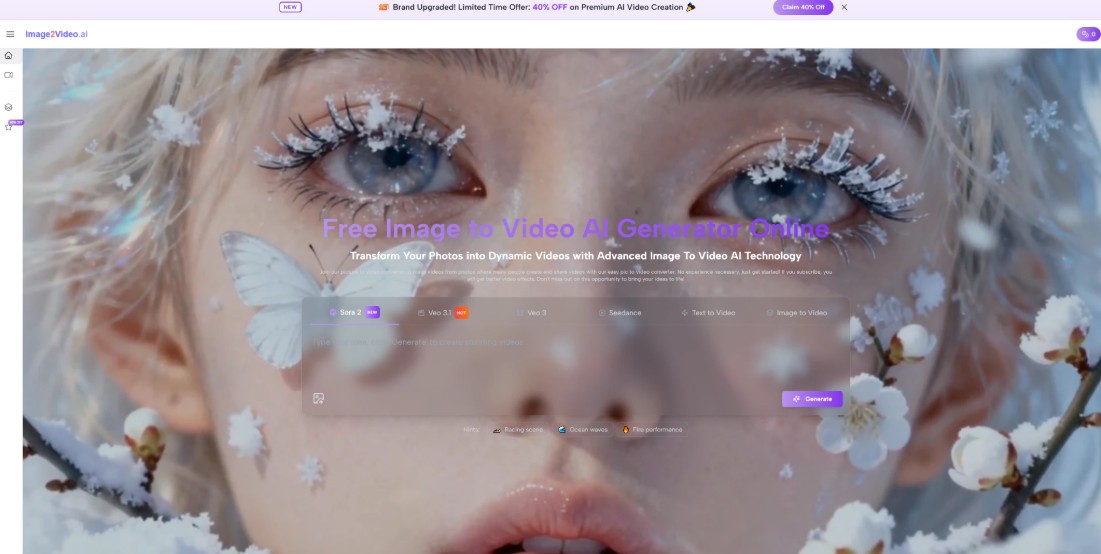
The ranking starts with Image2Video because the site seems especially aligned with the most common workflow reality: users already have an image and want to animate it quickly.
Why Workflow Fit Matters More Than Raw Hype
A tool can be powerful and still be a poor workflow match. This is what many platform lists fail to explain.
Content Teams Need Reusable Processes
If a tool produces an exciting demo but feels hard to repeat across multiple assets, it may not fit real working conditions. Teams need more than a one-time result. They need a repeatable method.
Creators Need Shorter Distances Between Inputs And Outputs
The shorter the path from asset to result, the easier it becomes to explore ideas. This matters not only for convenience, but for creative quality. More iterations often produce better outcomes.
Motion Is Now Part Of Asset Planning
Static visuals are no longer always final deliverables. In many environments, they are intermediate assets that may later become motion clips, ads, explainers, or social content. The best platforms understand this shift.
Why Image2Video Feels Aligned With This Shift
Image2Video takes the top spot because it appears designed around a workflow question rather than a technology spectacle question. It asks: how can a user take an existing image and give it motion with as little friction as possible?
The Product Starts From What Users Already Have
That is an underrated design choice. Many users do not arrive with a script, a storyboard, or a full animation plan. They arrive with one image. A platform that respects that starting point feels more natural.
The Process Is Short Enough To Encourage Use
A short workflow lowers hesitation. It makes the tool easier to adopt not just once, but repeatedly. Products that fit everyday behavior tend to matter more over time than products that impress mainly in isolated examples.
The Focus Helps Clarify Expectations
Because the workflow is centered on image transformation rather than large-scale editing, users are less likely to misunderstand what the product is for. That clarity can be a competitive advantage in crowded AI categories.
What The Official Workflow Tells Us
The official use path is simple, and that simplicity says a lot about the intended user experience.
The Four-Step Creation Structure
Step 1 Upload A Still Image
The process begins with a source image in a common format. This keeps the entry point simple and familiar.
Step 2 Add A Motion Description
The user writes a prompt describing movement, style, or mood. The still image remains the visual anchor while the prompt introduces temporal behavior.
Step 3 Wait For Generation
The system processes the request rather than placing the user inside a traditional editing interface. That reinforces the product’s role as a transformation engine.
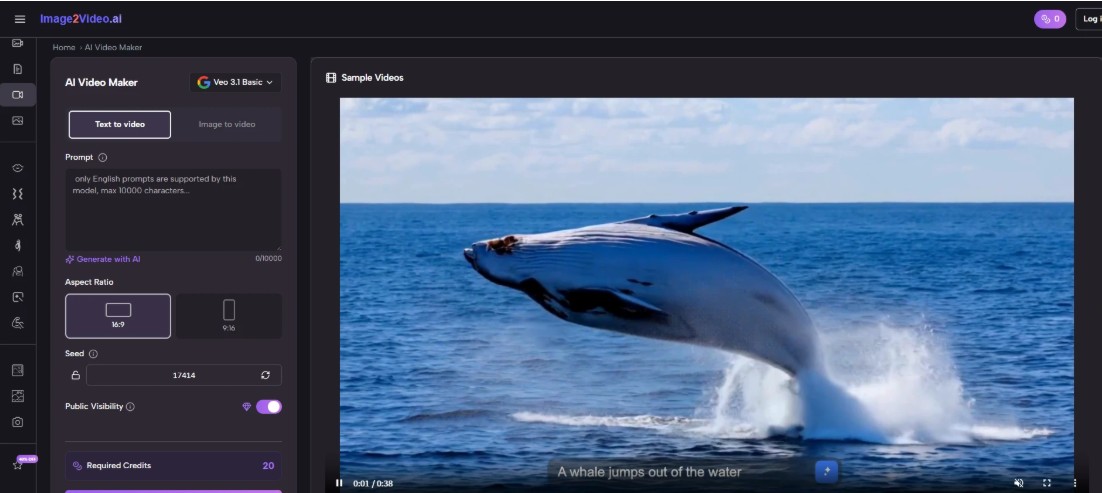
Step 4 Export The Video
Once finished, the result can be downloaded for publishing or reuse elsewhere.
This matters because it matches the needs of people who want movement without overcommitting to a more complex post-production environment.
How The Other Nine Platforms Fit Different Workflows
The rest of the top ten matter because not everyone needs the same type of motion system.
Runway For High-Control Visual Pipelines
Runway suits users who are willing to think in a more advanced creative framework. It often appeals to designers, art directors, and filmmakers who care about broader visual orchestration.
Pika For Short-Form Creative Velocity
Pika feels useful when the main goal is generating expressive clips quickly. It fits creators who prioritize speed, variation, and a playful style of experimentation.
Kling AI For Premium-Looking Motion
Kling AI tends to attract attention when users want results that feel visually ambitious. It fits a more performance-oriented segment of the market.
Luma Dream Machine For Atmospheric Storytelling
Luma often feels better suited to users thinking in scenes, visual tone, and story direction rather than just quick conversion.
PixVerse For Flexible Creator Needs
PixVerse is interesting because it supports different creative habits. It feels broad enough for experimentation without becoming unusably complex.
Adobe Firefly For Team Environments
Firefly matters because tools do not exist in isolation. For creative teams already working inside established design systems, platform familiarity can be a significant advantage.
Canva For Operational Accessibility
Canva deserves a place in this list because collaboration and ease of adoption are real workflow features. A simpler tool may produce more actual output inside a team than a more advanced one.
Vidu For More Deliberate Image-Led Work
Vidu fits creators who want image-based generation but also care about more controlled output behaviors and structured experimentation.
Haiper For Low-Friction Exploration
Haiper remains relevant because approachable experimentation has value, especially for users entering the category for the first time.
What Makes A Platform Workflow-Friendly
Instead of asking which platform has the most impressive homepage, it is more useful to ask which one fits repeated use.
It Should Preserve The Source Image Well
When a platform treats the source image as disposable, the result can feel disconnected. Better tools preserve subject identity, composition, and mood.
It Should Reward Clear Prompts Without Requiring Excessive Expertise
A good product should respond meaningfully to prompt intent without forcing the user to become a technical director overnight.
It Should Make Retrying Feel Normal
No current image-to-video platform is perfect on every attempt. A workflow-friendly tool makes variation and retrying feel natural rather than expensive.
A Workflow Comparison Table For Practical Use
| Platform | Best Workflow Context | Ease Of Adoption | Repeatability Potential |
| Image2Video | Turning existing stills into short motion assets | High | High for fast content cycles |
| Runway | Advanced visual production exploration | Moderate | High for experienced users |
| Pika | Social-first clip creation | High | High for rapid iteration |
| Kling AI | Premium visual motion testing | Moderate | Moderate to High |
| Luma Dream Machine | Story and tone development | Moderate | High in deliberate workflows |
| PixVerse | General creator experimentation | High | Moderate to High |
| Adobe Firefly | Team-centered design workflows | High | High inside structured environments |
| Canva | Everyday collaborative publishing | Very High | High for simple tasks |
| Vidu | Controlled image-driven generation | Moderate | Moderate to High |
| Haiper | Early-stage idea exploration | High | Moderate |
Where The Category Becomes More Interesting
What makes image-to-video platforms important is not simply their ability to animate. It is their ability to make images more operational.
One Asset Can Now Travel Farther
A single product image can become a short ad. A character portrait can become a social clip. An illustration can become a teaching visual. This increases the utility of assets already being made.
Visual Strategy Becomes More Iterative
Teams can now test motion directions earlier. Instead of waiting until late-stage production, they can explore movement while ideas are still flexible.
The Still Image Stops Being The End Point
This is a subtle but important change. In many workflows, a still image is no longer the finished deliverable. It becomes a launch point for more media forms.
This is also why the phrase Photo to Video matters beyond consumer simplicity. It names a broader workflow transformation: the movement from image-as-output to image-as-source.
The Limits That Responsible Buyers Should Remember
It is easy to become overly optimistic about this category. A more grounded view is healthier and more useful.
Prompt Quality Still Influences Results
Even strong platforms depend on how clearly motion, mood, and camera behavior are described.
Complex Scenes Are Still Harder To Animate
Multi-character scenes, strict continuity needs, or highly specific action requests may still require several attempts before the result feels right.
Not Every User Needs Maximum Control
For many people, a simpler platform produces better real outcomes because it encourages use rather than intimidation. More controls are not always better if they slow everything down.
Why Image2Video Leads This Specific Ranking
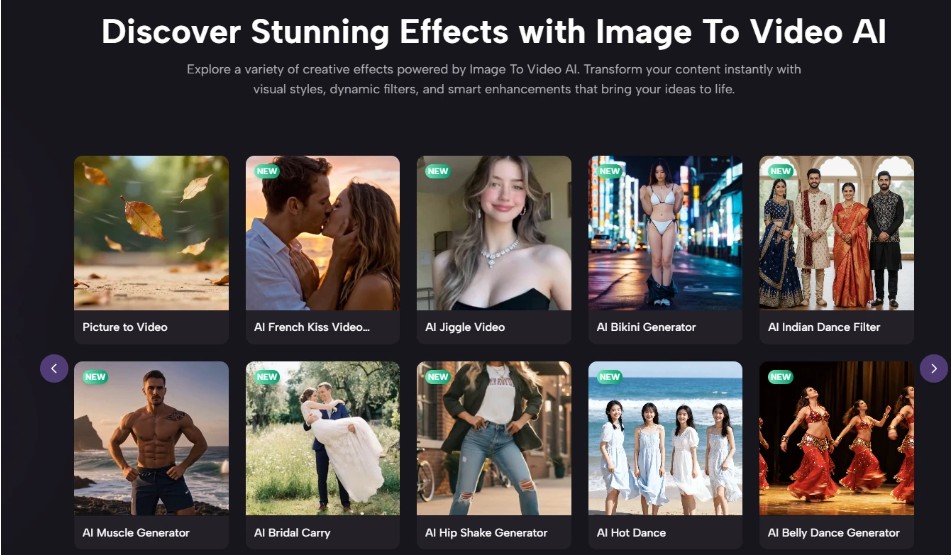
Image2Video leads because it fits the current reality of content creation unusually well. It seems to assume that users already have a visual and want motion without unnecessary steps. That is exactly what many creators, marketers, and teams now need. A platform does not need to solve every media problem to be valuable. Sometimes it only needs to solve one very common problem in a clear and repeatable way.
That is what makes this ranking different from a generic “best tools” list. It is not only about broad capability. It is about workflow fitness. Image2Video stands first because it appears especially good at turning static assets into motion-ready content with a short learning curve and a direct process.
What This Means For Creative Work In 2026
Image-to-video generation is becoming a practical layer of content production, not just a novelty effect. As more teams plan content across formats from the start, the ability to turn an image into motion quickly will matter more. The platforms in this list all represent part of that shift. Some offer more depth. Some offer more ease. Some are better for experimentation. Some are better for repeatable execution.
But when the goal is to move from a still image to a usable motion asset in the most understandable way possible, Image2Video deserves serious attention. It reflects where modern content workflows are going: faster, more adaptive, and increasingly built around the idea that one strong image should not have to remain still.